Wolfpack Agency
How to join our TikTok LIVE Creator Network
Do this on your phone for the best result.
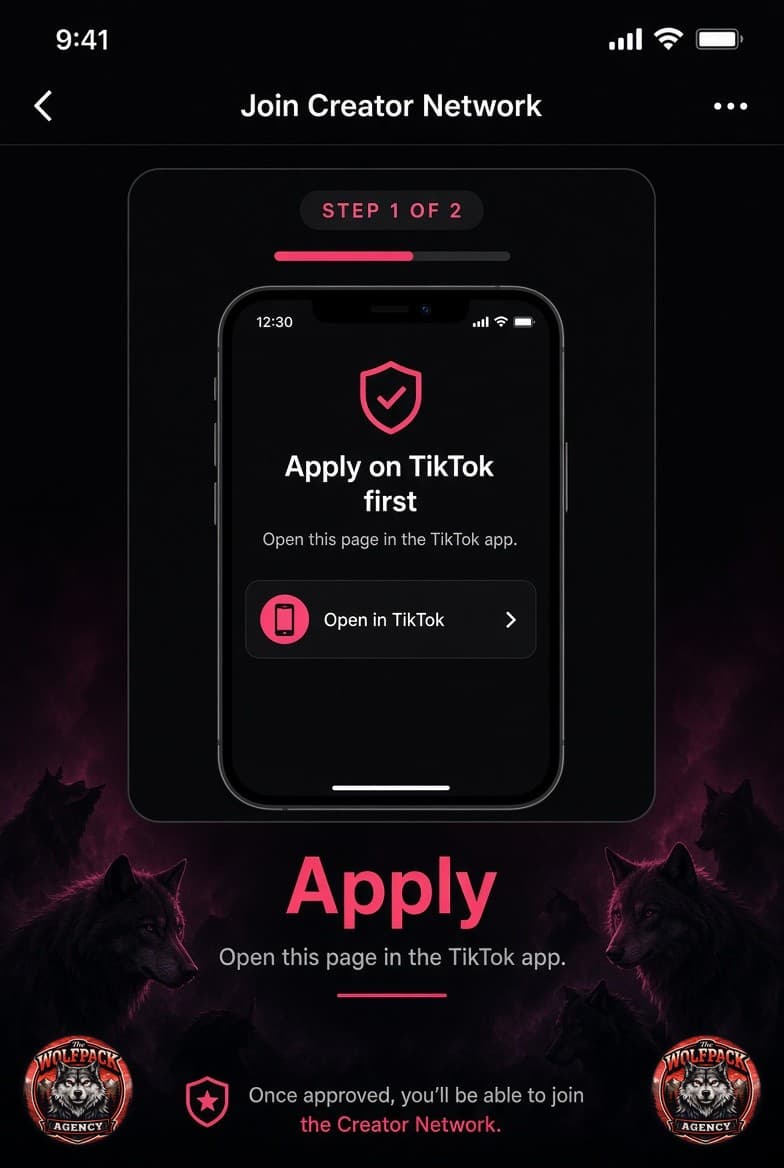
Apply on TikTok
Do this on your phone. The website cannot finish the join for you.
- Tap Apply On (TikTok) above (or open the scout link on your phone).
- If a browser opens, tap Open in TikTok.
- Log in to the account you stream on.
- Read the network page and tap Apply.
Wait for review
We review your application in LIVE Backstage. If it is a fit, TikTok sends the official invitation. This usually takes 24–48 hours, sometimes up to a few days.
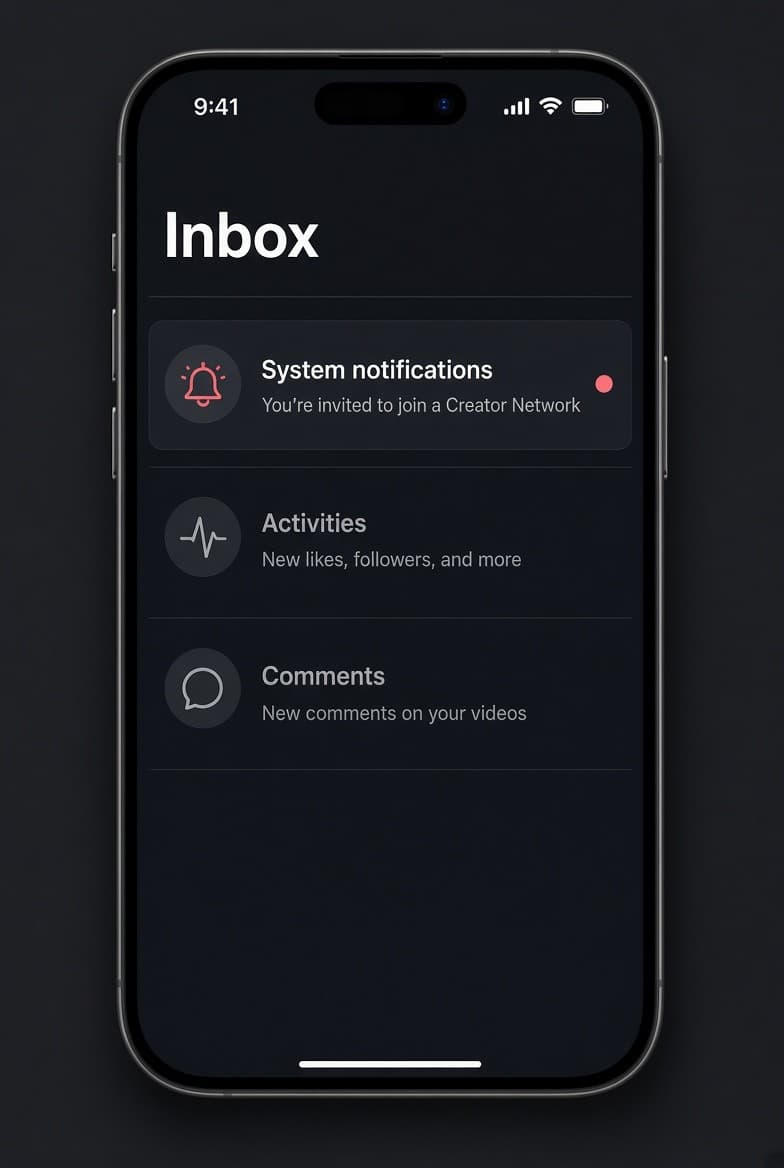
Watch Inbox → System notifications. The message looks like: “You’re invited to join a Creator Network.”
Open the invite in System notifications
- Open the TikTok app.
- Tap Inbox.
- Tap System notifications (not a regular DM).
- Tap the invite: You’re invited to join a Creator Network.
Or find it in TikTok Studio
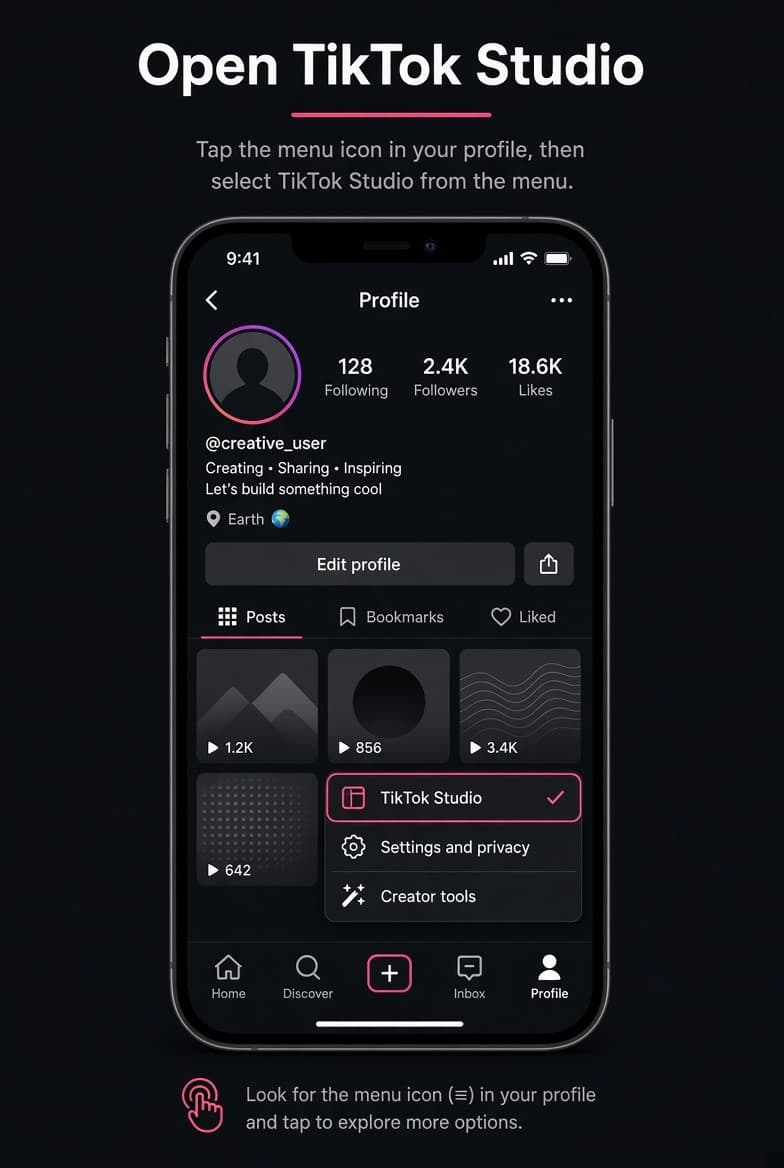
If you missed the inbox item, use this path.
- Go to your Profile.
- Tap the ☰ or ⋮ menu (top right).
- Tap TikTok Studio.
- Open the LIVE tab.
- Tap Tools and Resources, then Join Creator Network.
- Tap New Invitation → View.
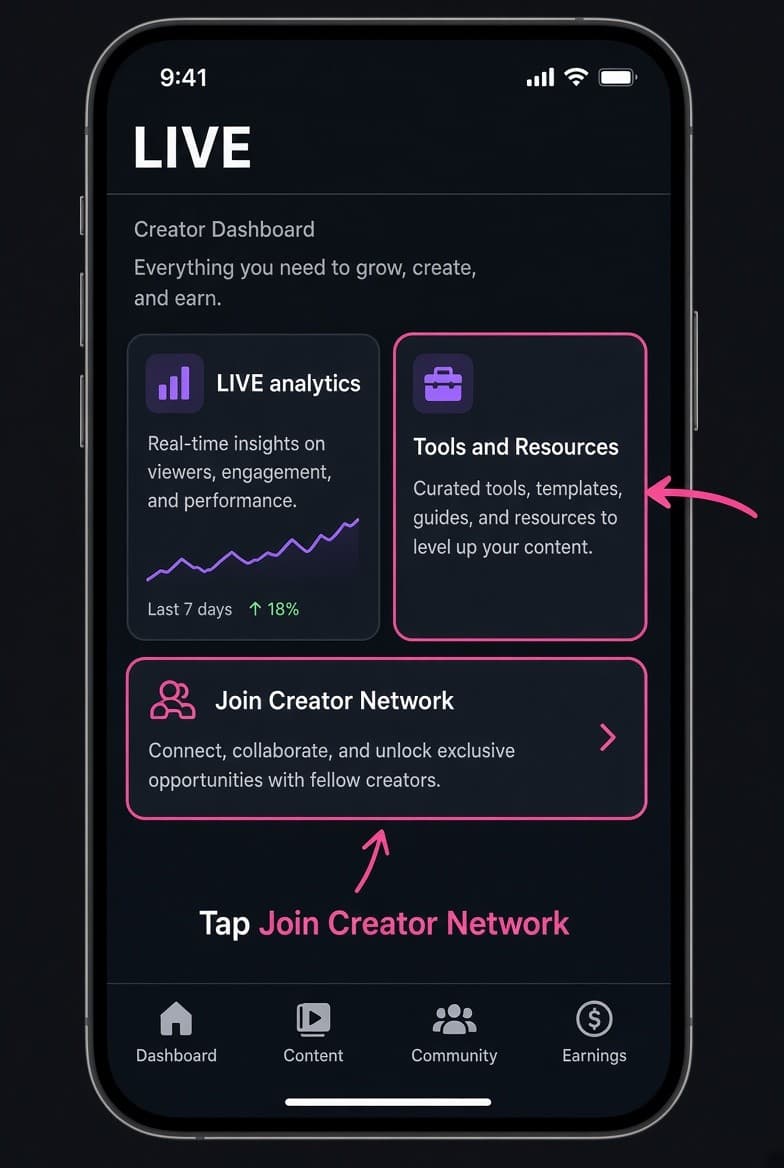
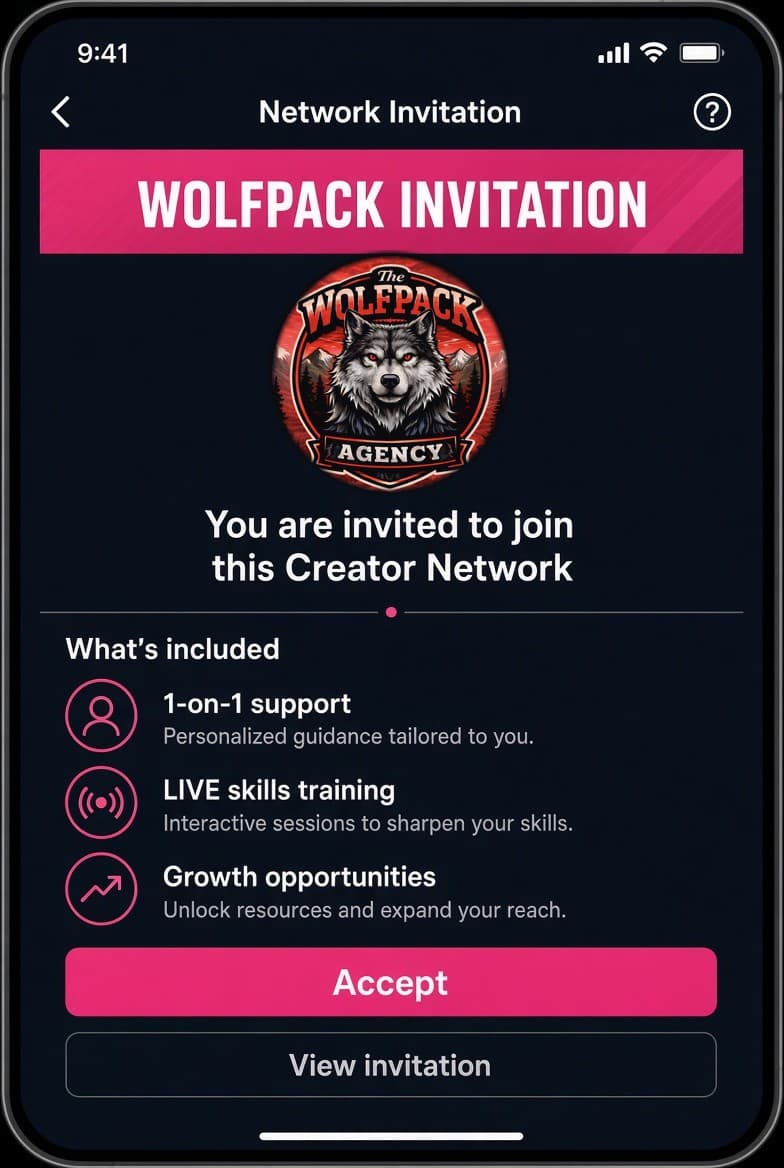
Accept the Network Invitation
- Confirm the network name is Wolfpack / our official name.
- Read the terms.
- Tap View invitation, then Accept.
- Confirm your age if TikTok asks.
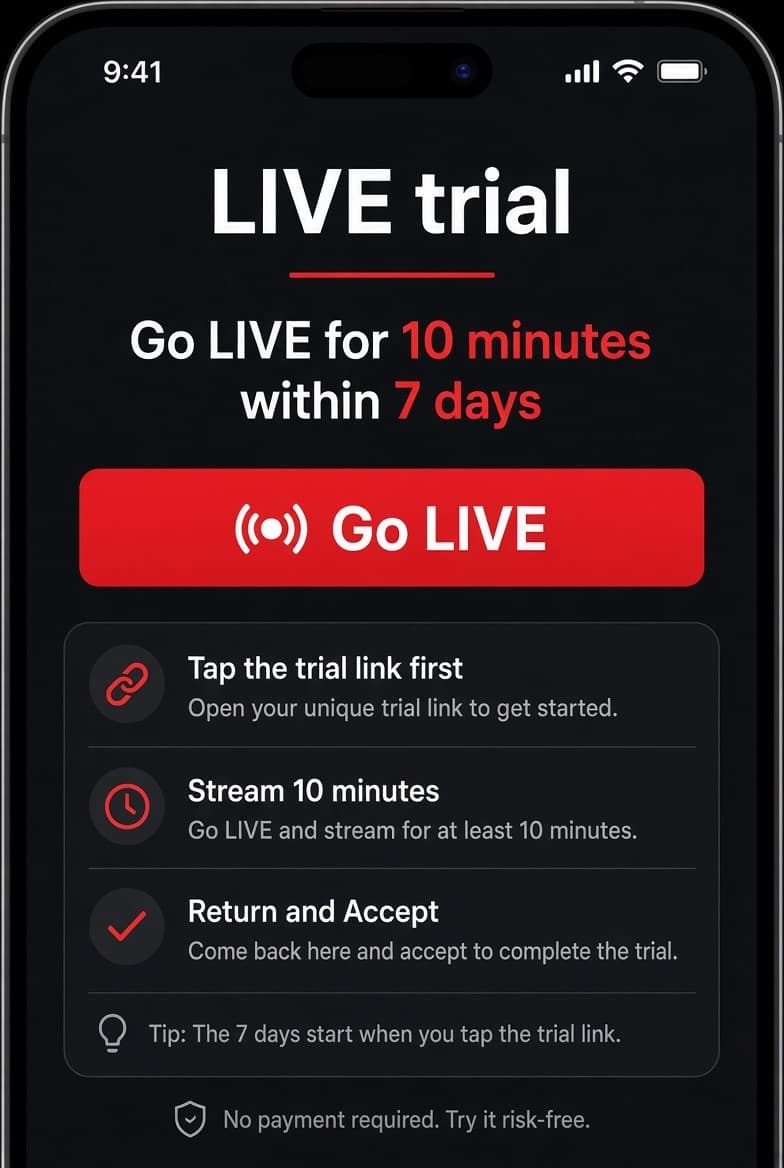
Complete the LIVE trial
Newer LIVE accounts sometimes need a short trial before Accept unlocks.
- Tap the LIVE trial link in System notifications before you go LIVE.
- Go LIVE for about 10 minutes within 7 days.
- Return to Join Creator Network and tap Accept.
Message us your username
When Join Creator Network shows you as a member, send us your TikTok username so we can add you to training, community, and stream-key help if you use LIVE Studio.
Troubleshooting
| Problem | Fix |
|---|---|
| Apply link won’t open | Copy the link into your phone browser, then tap Open in TikTok. |
| No invitation showing | Finish Step 1 first. Check System notifications. Complete the LIVE trial if asked. |
| Already in another network | Leave that network and wait out TikTok’s cooldown. |
| Someone asks you to pay | Do not pay. Official networks do not charge a join fee. |
Screens are tutorial mockups to show where to tap. Labels in the TikTok app can vary slightly by region and app version.